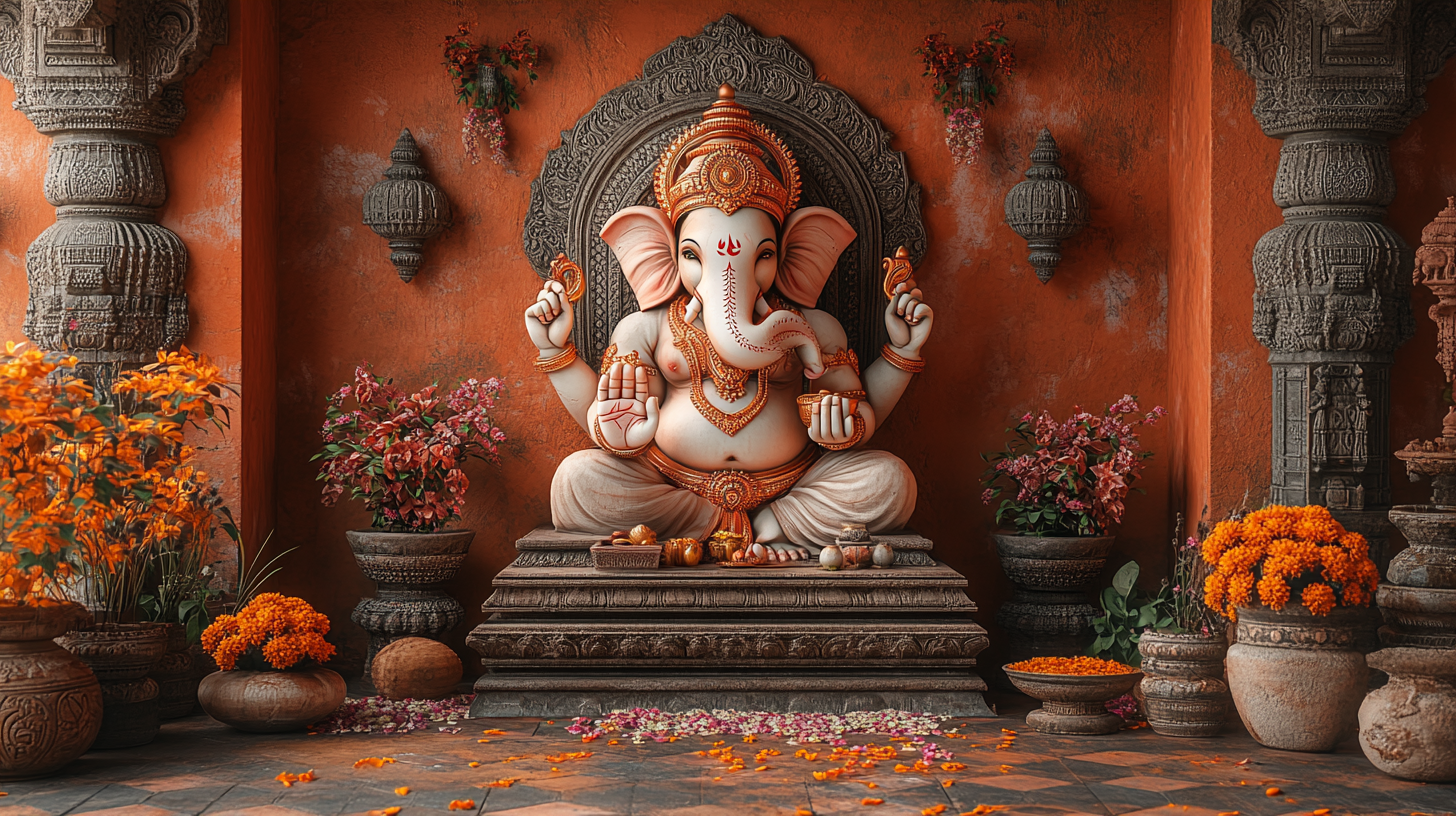
Imagine welcoming Lord Ganesha into your home through your smartphone screen. This Ganesh Chaturthi, I combined devotion with technology to create an augmented reality Ganesha idol using only AI tools. Here’s how I did it.
I’ve been itching to work on a small project over the weekend, and with Ganesh Chaturthi upon us, I thought, “Why not show my love for Lord Ganesha in an AI-trending way?” So, I embarked on a journey to generate an AR Experience of Lord Ganesha at my home, all using Generative AI.
Here’s my workflow:
Step 1: Crafting the Perfect Ganesha Image
I started by creating multiple images of the Ganesha Idol. I used the same prompt on both Leonardo and Midjourney:
“Highly detailed origami Ganesha idol, hyper realistic on a white background”
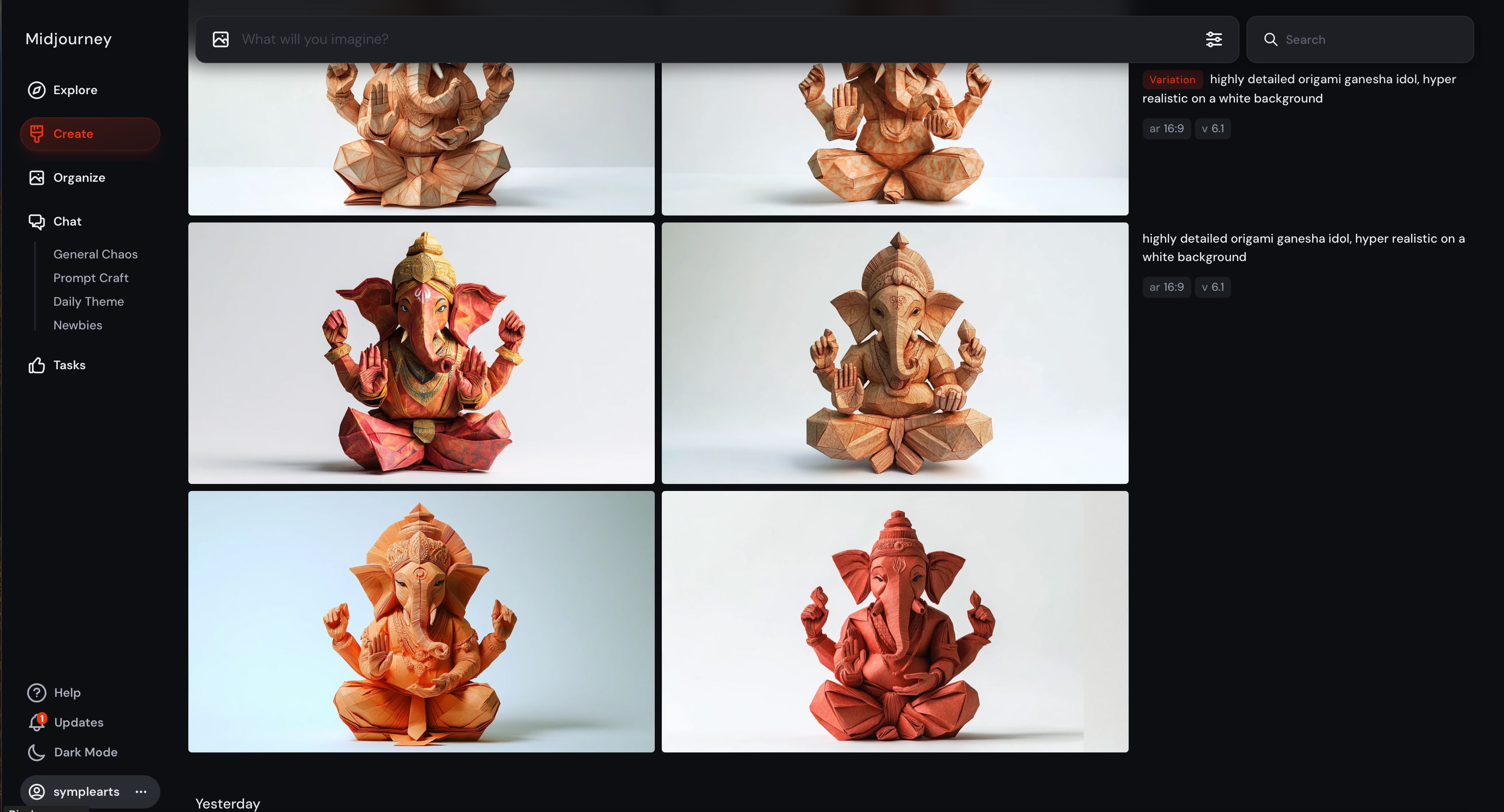
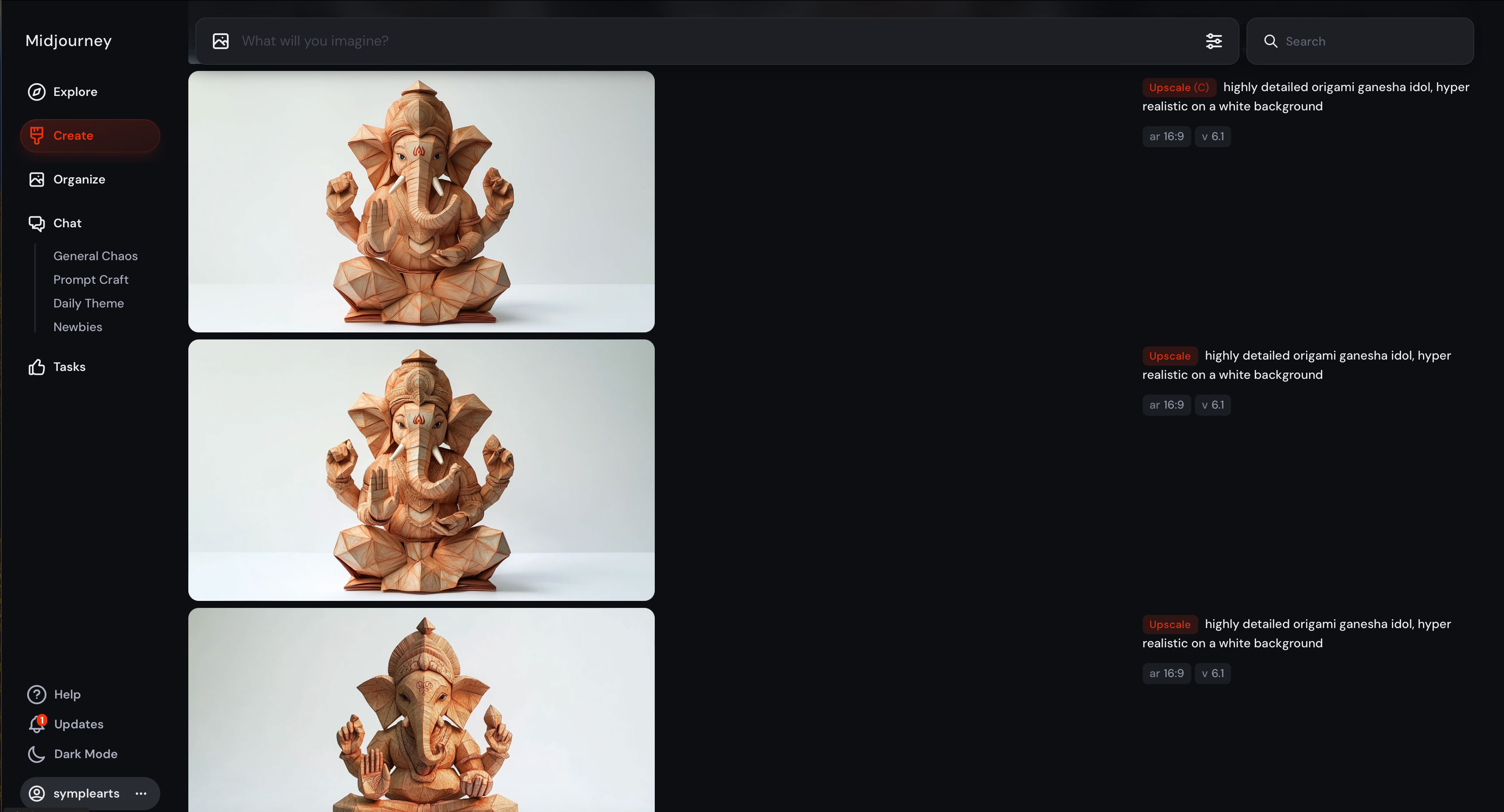
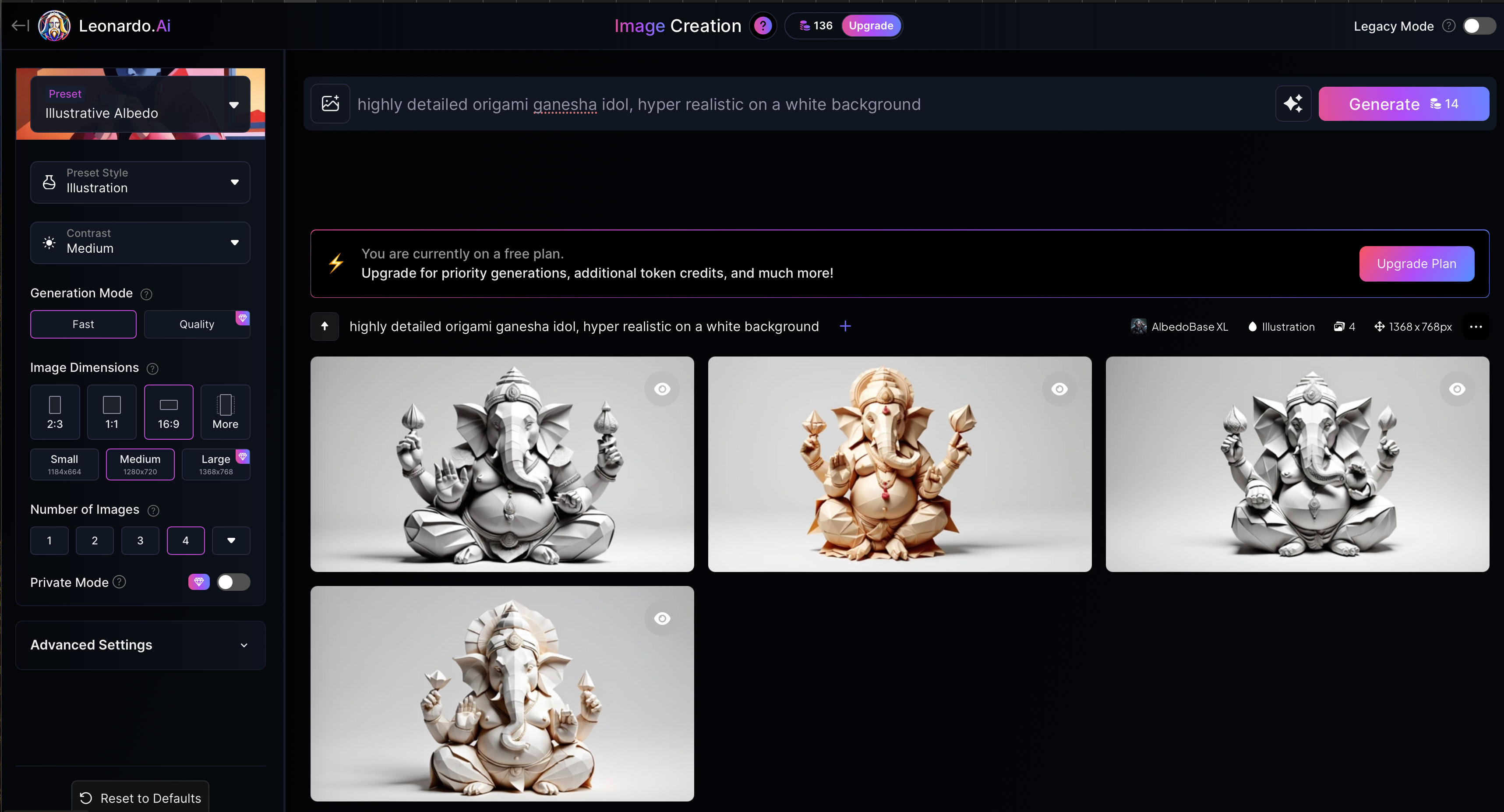
After comparing the results, I settled for the Midjourney version. It seemed to capture the essence I was looking for.
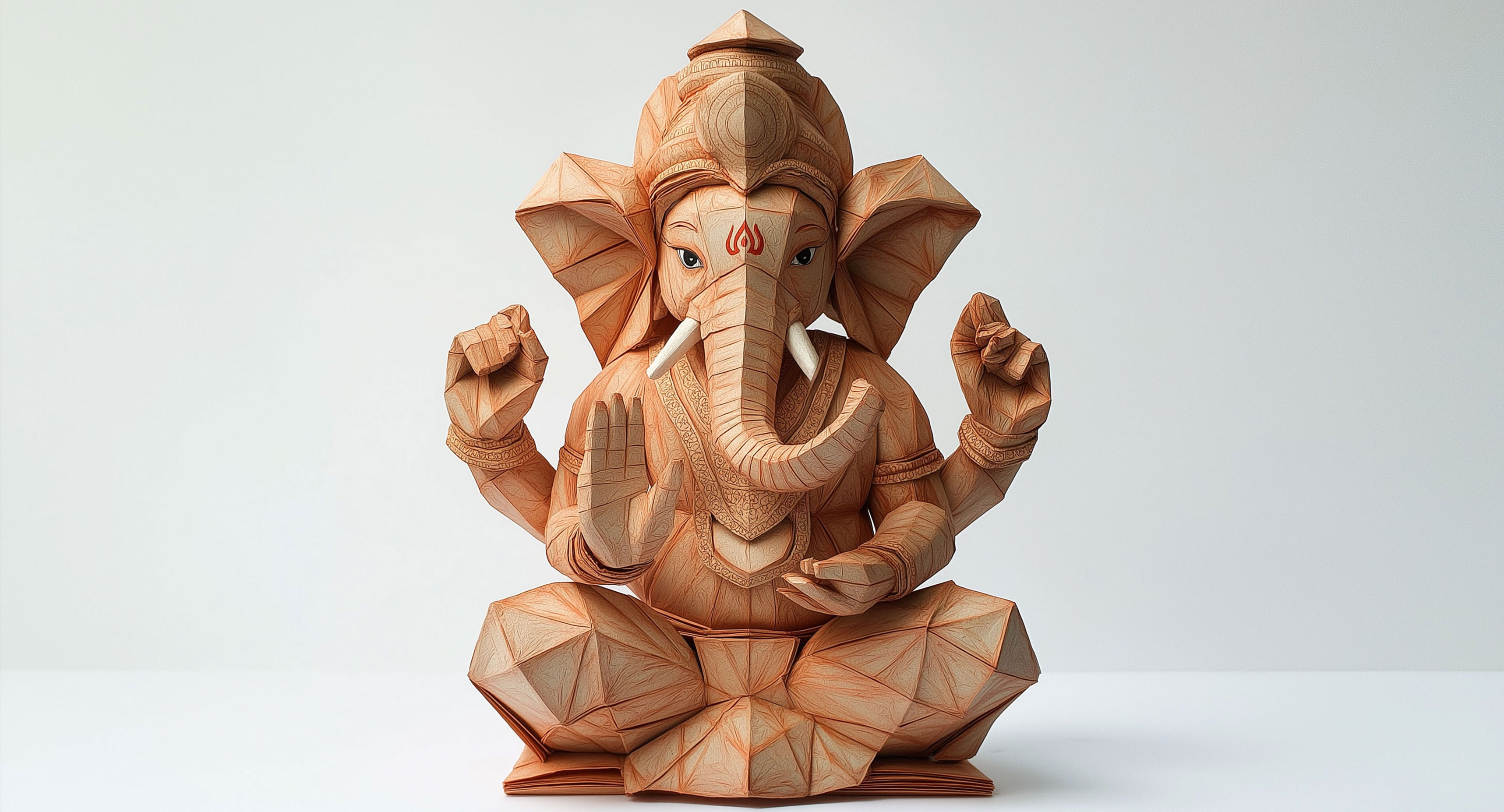
Step 2: Transforming 2D to 3D
To bring Ganesha to life, I needed to convert the 2D image into a 3D model. I headed to Hugging Face and found two promising tools:
- SF3D: Stable Fast 3D Mesh Reconstruction with UV-unwrapping and Illumination Disentanglement (https://huggingface.co/spaces/stabilityai/stable-fast-3d)
- InstantMesh Image to 3D (https://huggingface.co/spaces/jkorstad/InstantMesh-img-to-3D)
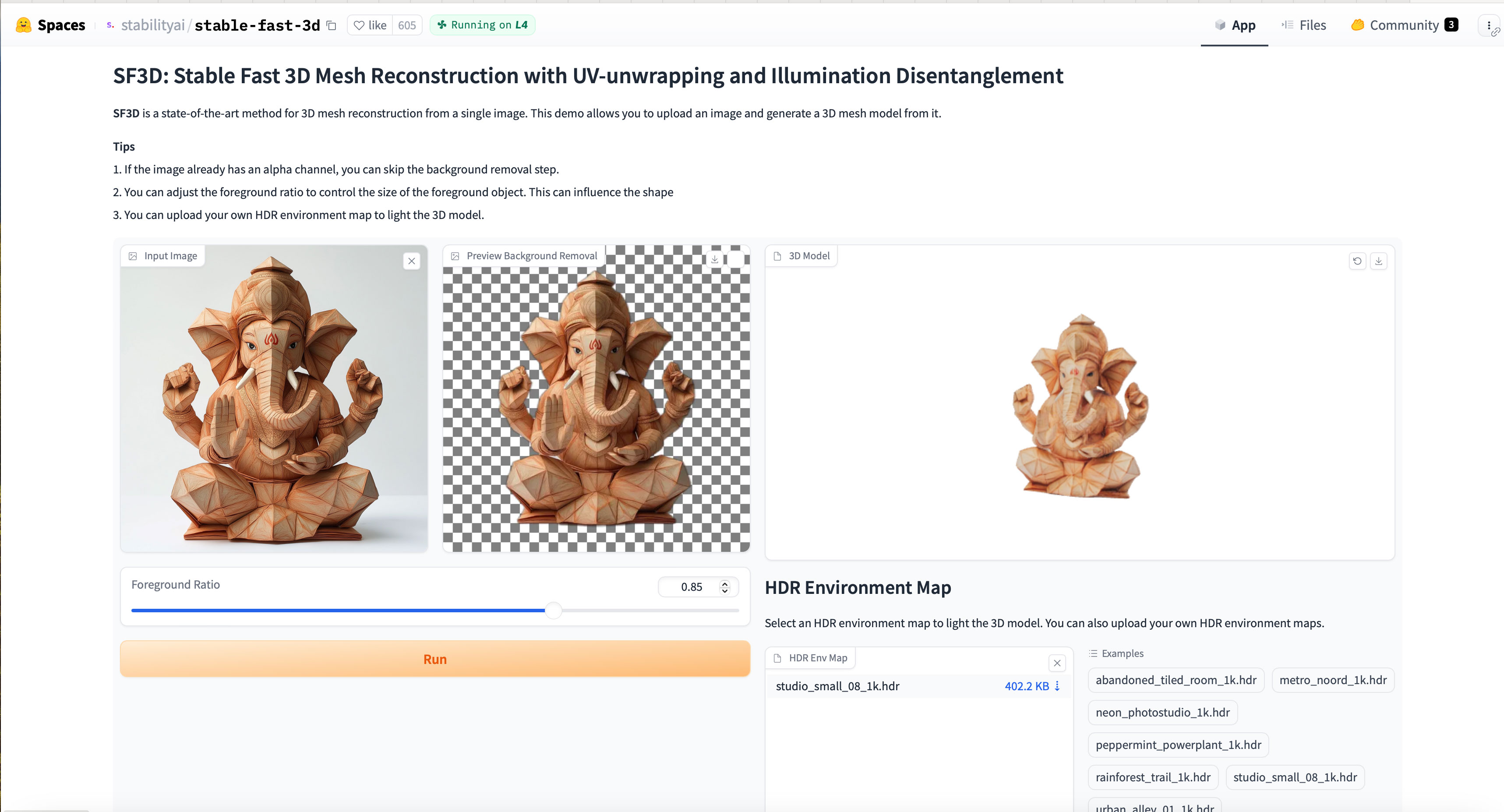
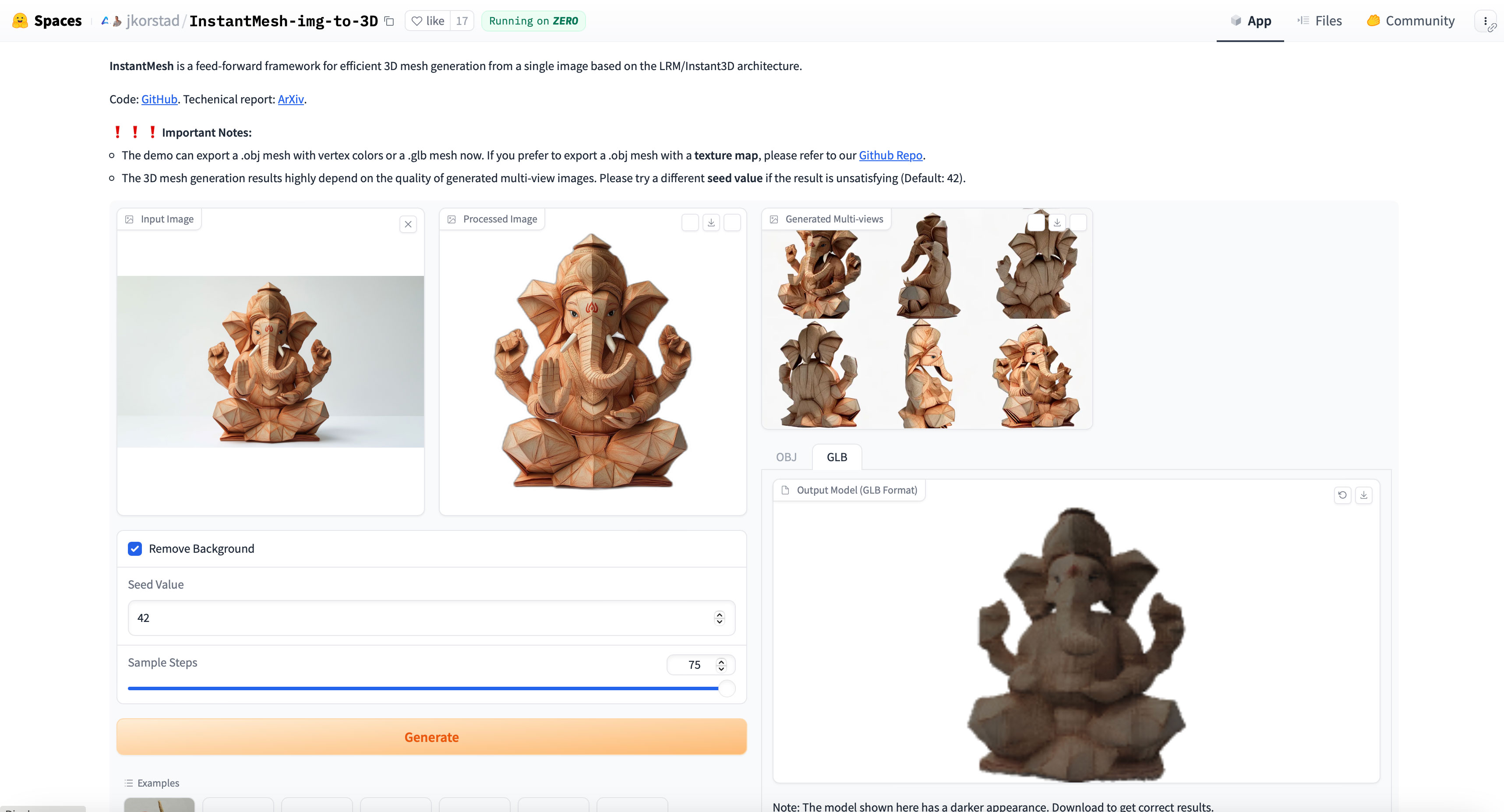
After experimenting with both, SF3D won me over. It provided better mesh quality and offered an option to add environment lighting, which illuminated the 3D Model beautifully.
Step 3: Exporting for AR
I exported the 3D model to GLB format. Why GLB? It’s a 3D file format that’s perfect for augmented reality (AR) and web applications, supporting motion and animation.
Step 4: Creating an Interactive Web Experience
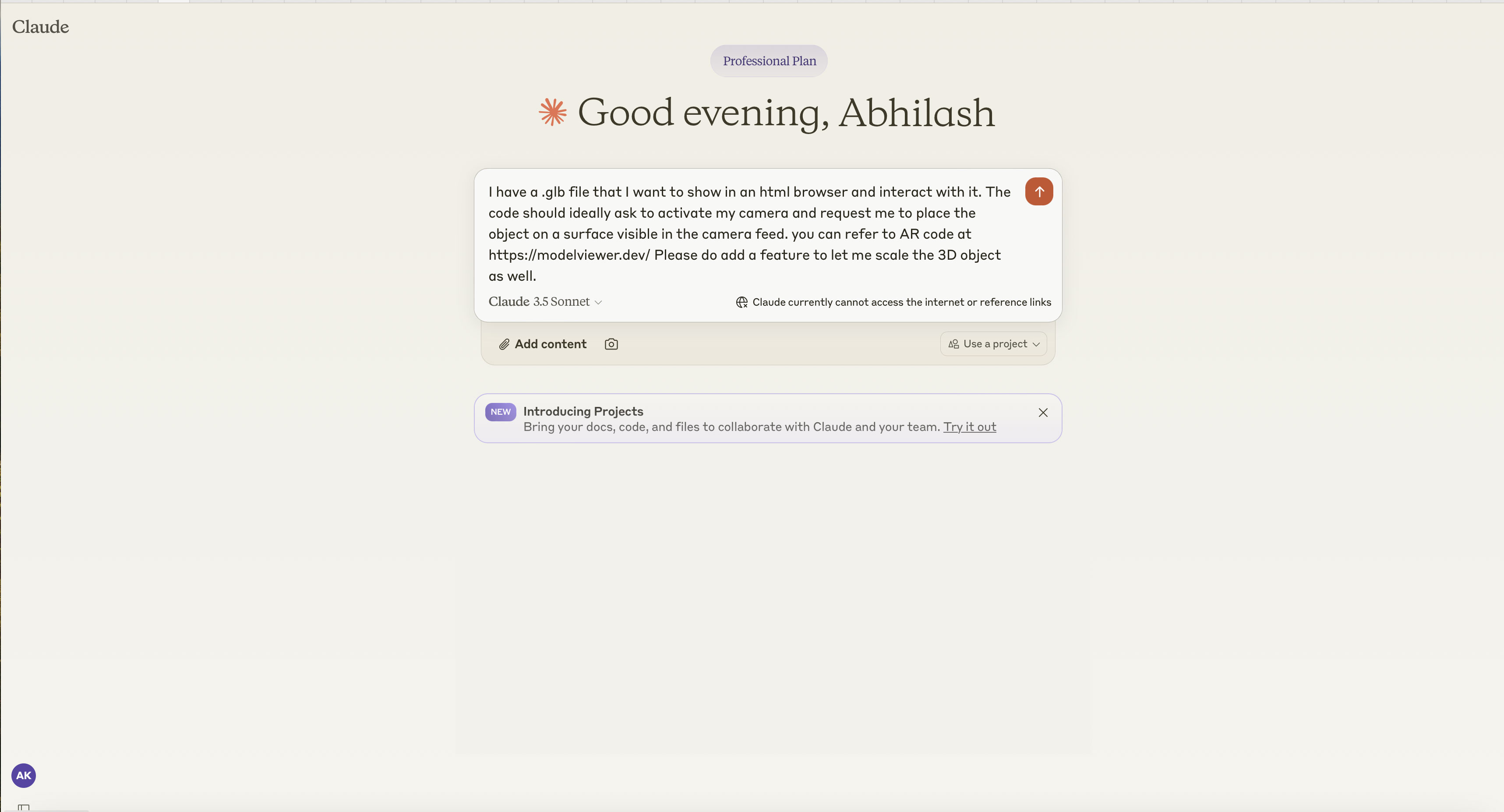
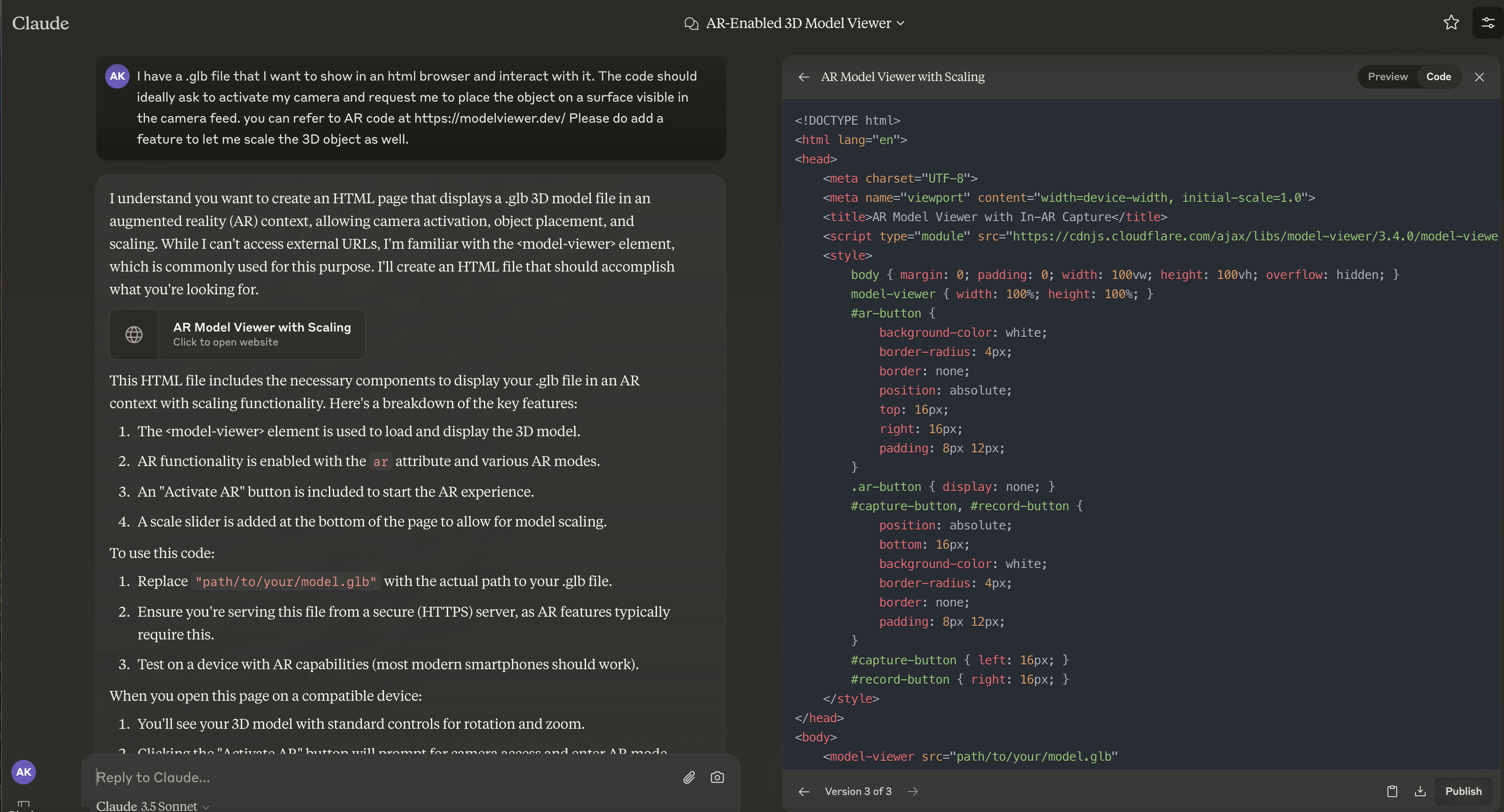
Now came the challenge of generating an HTML page to embed the 3D GLB file and create an interactive experience. I turned to Claude 3.5 Sonnet for help, as I’ve found it particularly adept at coding-related tasks compared to ChatGPT 4o.
My prompt for Claude was:
“I have a .glb file that I want to show in an HTML browser and interact with it. The code should ideally ask to activate my camera and request me to place the object on a surface visible in the camera feed. You can refer to AR code at https://modelviewer.dev/. Please add a feature to let me scale the 3D object as well.”
Step 5: Bringing It All Together
With the code from Claude in hand, I made a few tweaks:
- Downloaded the file
- Uploaded it to my server
- Edited the HTML to point to my GLB file
- Added my own title
And voilà! The result is live at: https://abhilashkrishnan.com/innovation/webar/Ganesha/
That’s all there is to it! Happy Ganesh Chaturthi to everyone. May Bappa bless you all with joy, luck, and prosperity.
Have you experimented with AR or AI for festive celebrations? I’d love to hear about your experiences in the comments below!
Update: Exploring Another 3D Conversion Tool
After completing this project, I stumbled upon another fascinating tool for converting 2D images to 3D models: Meshy.ai (https://www.meshy.ai/workspace/image-to-3d). This discovery opened up an interesting comparison and some thought-provoking questions about AI-generated 3D models.
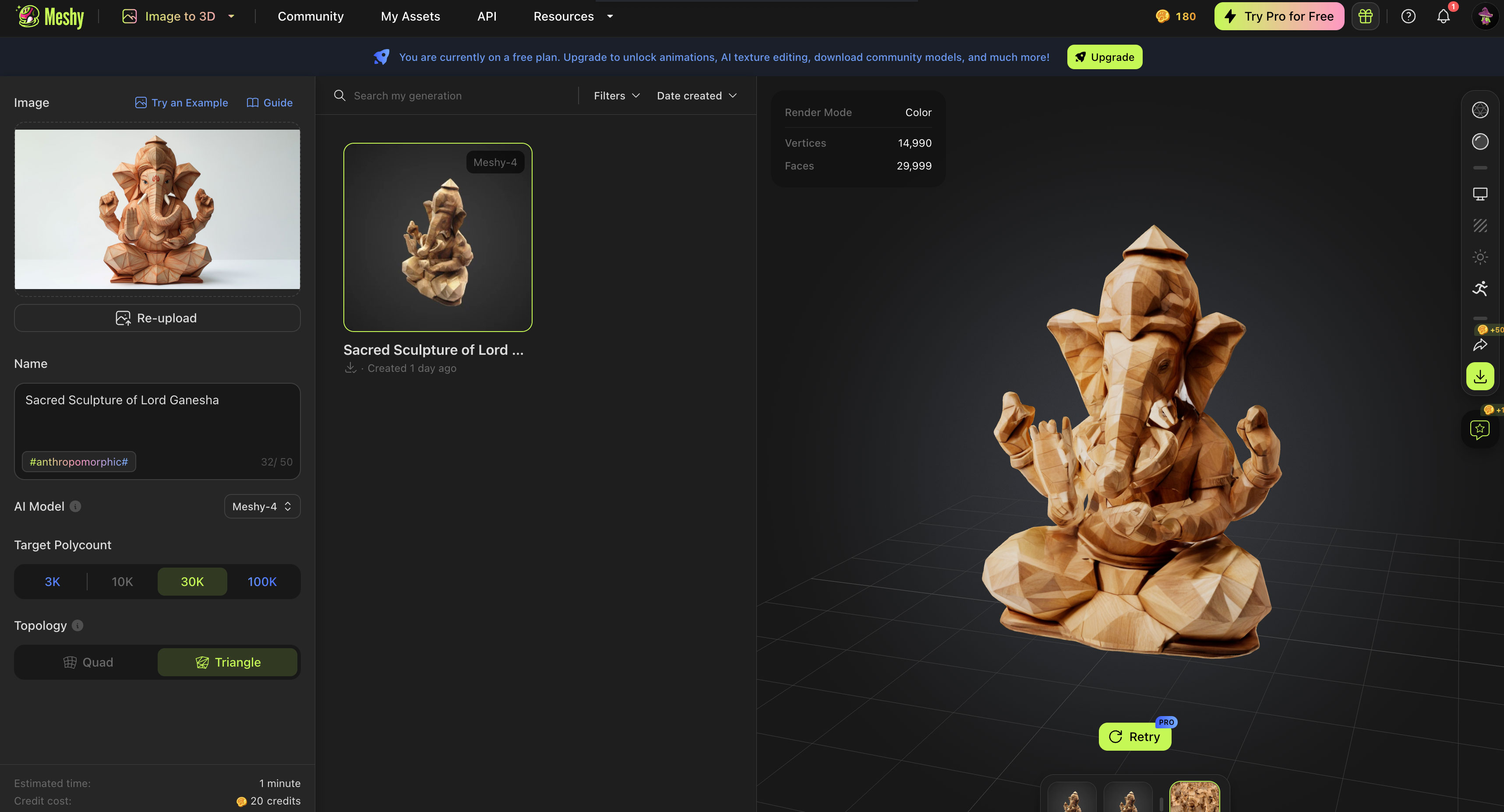
The unique aspect of Meshy.ai is that its AI model seems to modify the image by applying its own creative interpretation during the 3D generation process. While the resulting 3D elements are refined, they don’t exactly match the original image and appear creatively modified.
You can experience and compare the 2nd AR version here: https://abhilashkrishnan.com/innovation/webar/Ganesha/v2
When you explore both versions, you’ll notice distinct characteristics:
- The original version using SF3D stays truer to the 2D image.
- The new version using Meshy.ai introduces some creative interpretations in the 3D rendering.
This comparison highlights an intriguing aspect of AI-generated 3D models: the balance between accuracy and creative interpretation. Depending on your project goals, you might prefer one approach over the other.
It raises some interesting questions:
- In AI-assisted art and modeling, how important is strict adherence to the original image?
- Can AI’s creative interpretations enhance the final product in some cases?
- How do we balance human artistic intent with AI’s generative capabilities?
I’d love to hear your thoughts on this! Have you experimented with different 2D to 3D conversion tools? What has been your experience with AI’s creative interpretations in 3D modeling?
Feel free to share your experiences or opinions in the comments below. Your insights could be valuable for anyone exploring the exciting intersection of AI, AR, and creative expression!
Sep 12, 2026 9:35 am
[…] Five steps. Four tools. One weekend. I wrote the whole thing up at the time, step by step. […]