
AI is changing how designers and developers work together, making processes faster, easier, and more efficient. Here’s how it’s transforming the industry:
- Code Generation from Design Files: AI tools convert design mockups into production-ready code in minutes, saving days of manual work.
- Collaboration Tools: AI-powered platforms improve teamwork with real-time editing, automated handoffs, and knowledge capture.
- AI-Generated UI Components: AI creates and customizes UI elements, enhancing workflows and user trust.
- Design System Management: AI automates style guide enforcement and component updates, maintaining consistency across projects.
- Ad Performance Optimization: AI personalizes ads, tests variations, and improves campaign results with reduced costs.
These tools are bridging the gap between design and development, enabling teams to focus on creativity while AI handles repetitive tasks. For example, companies like Foot Locker and Ted Baker are using AI to improve ad performance, achieving up to 946% return on ad spend.
Quick Overview
| Feature | AI’s Role | Impact |
|---|---|---|
| Code Generation | Converts designs to code | Saves time, boosts efficiency |
| Collaboration Tools | Real-time editing, automated handoffs | Faster workflows, better teamwork |
| AI-Generated UI Components | Builds and customizes UI elements | Improves accuracy and trust |
| Design System Management | Automates style and component updates | Ensures consistency |
| Ad Performance Optimization | Personalizes and optimizes campaigns | Better results, lower costs |
AI is no longer optional – it’s essential for faster, smarter workflows in design and development.
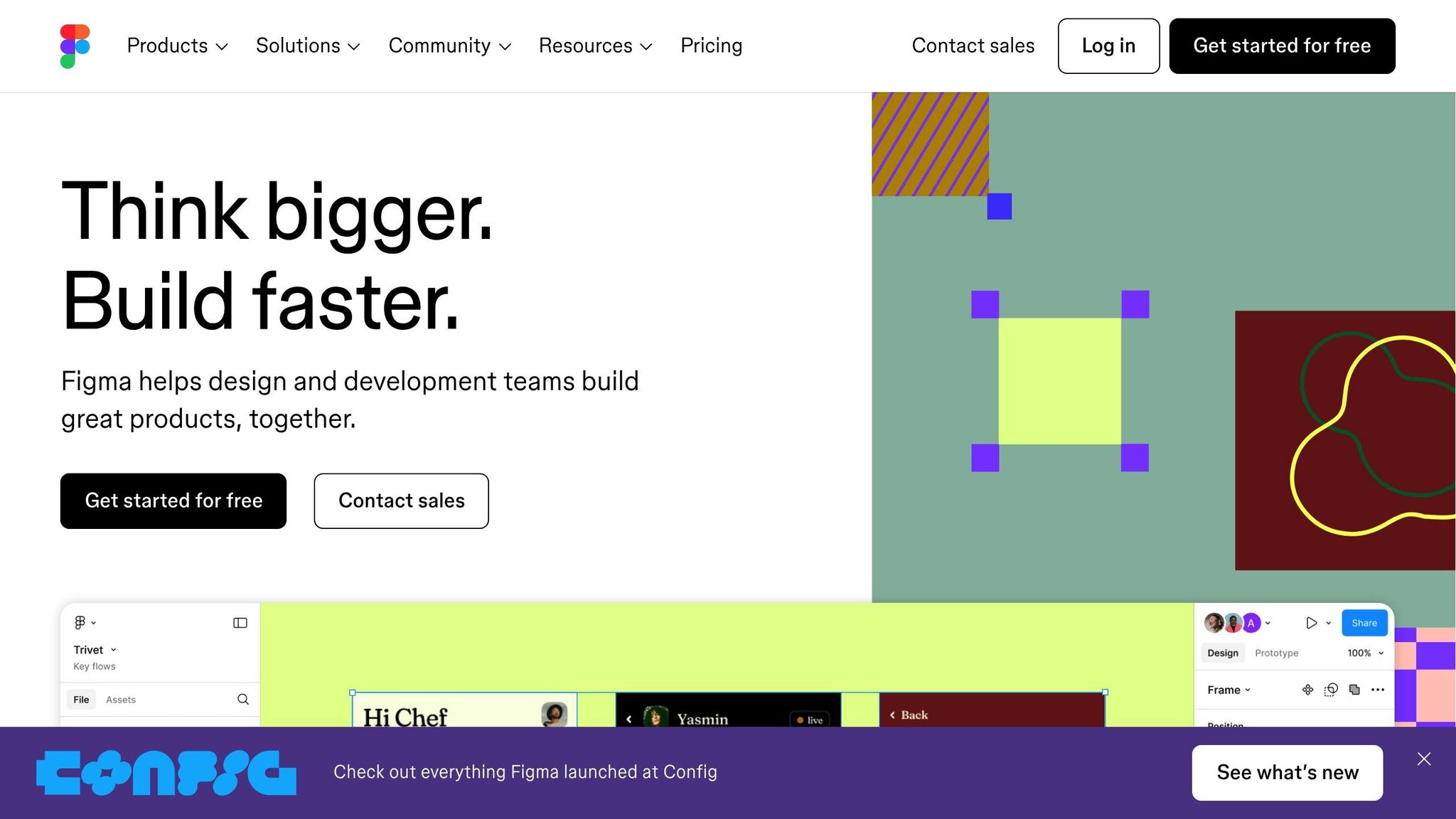
How I built a REAL app using Figma AI in 48 hrs! (ENTIRE UX/UI Process)
1. Code Generation from Design Files
AI-powered tools are changing the game by converting design mockups into production-ready code, drastically cutting down development time.
Consider this: 81.2% of frontend developers spend more than a full day translating Figma designs into functional webpages. This common bottleneck has pushed the industry to adopt smarter, faster solutions.
Take AdCraft Solutions as an example. In March 2023, they used AI to transform 15 Figma ad designs into React Native code. What used to take 5 days was completed in just 2 hours. The result? A 70% faster deployment process and a 25% increase in click-through rates.
"Discover the next generation of design to code conversion, where AI does the heavy lifting. Our platform transforms your designs into production-ready code for web and apps in minutes, not hours." – Codia
To make the most of AI in design-to-code conversion, it’s essential to structure design files thoughtfully. Here are some best practices to consider:
| Best Practice | How It Helps |
|---|---|
| Use reusable components | Allows AI to tap into existing modules, saving time and effort. |
| Segment the codebase | Helps AI generate more relevant and organized code. |
| Maintain clear documentation | Makes the code easier to understand for both humans and AI tools. |
| Implement composable design | Improves accuracy in generating functional, modular code. |
These methods help streamline the coding process even further. Beyond just speeding things up, AI has already generated over 401 million lines of code, delivering consistent and high-quality results. By automating repetitive tasks, developers and designers can shift their focus to solving more complex, creative problems.
2. AI Design-Development Collaboration Tools
AI-powered collaboration tools are bridging the gap between design and development like never before. According to Deloitte, 61% of employees report higher productivity thanks to AI, while 37% see improved teamwork. These tools aren’t just about working faster – they’re about making the entire workflow smoother and more efficient.
One of the standout benefits is the automation of critical handoffs, which helps reduce productivity losses that can cost companies $8,000 to $16,000 for every $100,000 employee. Here’s a closer look at how AI is reshaping the design-to-development process:
| Feature | Impact on Workflow | Productivity Gain |
|---|---|---|
| Real-time Collaboration | Simultaneous editing and Follow Mode | 49% faster decision-making |
| Knowledge Capture | Video-to-text conversion | 82% better retention |
These tools are transforming how teams collaborate, making every stage of the design-to-code process more seamless.
"In many ways, I think AI is what we’ve been missing and waiting for when it comes to design systems."
– Dan Mall, founder of Design System University
AI doesn’t stop at improving workflows – it’s also revolutionizing design systems. Automated code generation now goes hand-in-hand with creating foundational elements like spacing, typography, and color scales. As Jon Quach, Staff Frontend Engineer at Webflow, describes:
"You tell it, I want this particular look, or my [design system] currently looks like this, where it has these particular colors, these values for spacing, please generate for me the base level values for the spacing scale, typography scale, [etc.]"
The impact of these tools is already being felt in real-world scenarios. For example, Formulatrix‘s global engineering teams have overcome time zone challenges using AI-powered collaboration. Heinrich Köchling, their Director of Worldwide Engineering, shared:
"The ability for our American team and our Indonesian team to work together in real time is extremely valuable. We were losing a lot of time when we used to have to send files back and forth."
This kind of real-time collaboration is setting the stage for teams to fully harness the potential of AI. Practical steps include:
- Integrating AI into existing workflows
- Capturing knowledge during team check-ins
- Using AI to generate video-to-text documentation
- Structuring handoffs with AI-generated templates
Industries like consumer tech and healthcare are seeing the most dramatic changes, where complex design decisions demand quick iterations and crystal-clear communication between teams. AI is proving to be a game-changer in these high-stakes environments.
3. AI-Generated UI Component Systems
AI is changing the game when it comes to creating UI components, bridging the gap between design and development. According to recent data, 52% of AI developers now place a higher priority on design in AI-driven products. This shift is evident in how AI improves several key aspects of UI components:
| Component Aspect | AI Contribution | Impact on Workflow |
|---|---|---|
| Visual Identity | Enhanced illumination effects and gradients | Easier identification of AI-driven elements |
| Transparency | Labels embedded to indicate AI processes | Builds user trust |
| Integration | API-based implementation | Smooth connection with existing tools |
One standout feature is how AI introduces explainability into UI components. For instance, tools like Carbon for AI incorporate visual and behavioral cues that help users grasp how AI functions within their experience. This level of clarity matters – 67% of developers report higher-quality work when AI is integrated.
To effectively implement AI-generated UI components, a few principles are key:
- Transparency: Use consistent labels and styling to clearly identify AI elements.
- Customization: Adapt components to fit project-specific needs while maintaining cohesive design.
- Integration: Leverage APIs to seamlessly connect AI-generated components with existing design and development workflows.
Interestingly, platforms like Components AI report an average visit duration of 1 minute and 9 seconds, signaling strong user engagement. Additionally, 60% of high-performing teams test multiple design approaches. With 95% of professionals agreeing that design is just as crucial for AI-powered products as it is for traditional ones, it’s clear these systems are becoming essential tools in modern design and development.
AI’s advancements in UI components continue to blur the lines between design and development, making collaboration between the two more seamless than ever.
4. AI Design System Management
AI is reshaping how design systems are managed, building on advancements in code generation and collaborative tools. By automating tasks like monitoring style guides and creating UI components, AI ensures design standards are consistently upheld.
Take Microsoft’s Fluent Design System, for example. It uses AI to automatically adjust UI elements based on user preferences and device types, maintaining a seamless and consistent experience across its ecosystem.
Similarly, IBM’s Carbon Design System, launched in January 2025, highlights AI’s role in maintaining visual consistency while fostering user trust. This system relies on AI-driven labels and uniform visual styling – like light effects and gradients – making it easy for users to identify AI-generated content.
Jon Quach, a Staff Frontend Engineer at Webflow, explains how AI simplifies design system management:
"You tell it, I want this particular look, or my [design system] currently looks like this, where it has these particular colors, these values for spacing, please generate for me the base level values for the spacing scale, typography scale, [etc.]"
Here are some of the tools leading this transformation:
- Automated Style Enforcement
Adobe Sensei automates tasks like background removal and smart filtering while ensuring brand guidelines are followed. - Intelligent Component Libraries
Zeplin‘s AI capabilities generate detailed style guides and extract assets, offering developers clear, organized guidelines. - Cross-Platform Synchronization
Figma’s AI plugins help maintain uniformity in design elements across various platforms.
These advancements bring design and development closer together, continuing the trend of AI-driven workflow enhancements. With Servion Global Solutions forecasting that 95% of customer interactions will involve AI by 2025, teams can focus more on creative innovation while AI takes care of consistency and repetitive tasks.
sbb-itb-9ef3630
5. AI Ad Performance Optimization
AI is transforming ad performance by seamlessly blending creative design with technical optimization in real time. Let’s take a look at some real-world examples that highlight how AI is reshaping campaign efficiency and creative execution.
Foot Locker’s partnership with Smartly is a perfect example of this fusion. Using AI, the brand refreshed over 10,000 product images with new, engaging scenes while staying true to its branding. As Jasmin Kreiken, Director of Media & Lifecycle Marketing at Foot Locker, puts it:
"At Foot Locker, we are continuously searching for innovative solutions that help us improve not only customer experience, but also efficiency in campaign setup and optimization. Smartly’s GenAI solution helped us not only scale and automate content production, but also improved campaign performance massively".
The results? A 32% increase in click-through rates (CTR) and a 28% reduction in cost per acquisition (CPA).
Ted Baker also tapped into AI to overhaul its ad strategy. By leveraging Anyword’s AI-powered copywriting tool, the brand achieved an impressive 946% return on ad spend (ROAS), generating over £1.6 million in purchase revenue in 2021. Even more striking, 29% of ad clicks led to cart additions.
Other brands like Ogee Beauty and RedBalloon demonstrate the flexibility of AI in merging creative and technical efforts. Ogee Beauty used Meta’s Advantage+ shopping campaigns to test 150 ad variations, resulting in a 50% boost in ROAS and a 45% drop in cost per purchase. Meanwhile, RedBalloon utilized Albert AI to analyze ad accounts and customer data, achieving up to a staggering 3,000% ROAS while cutting marketing spend by 25%.
Nikolay Zelyamov, Manager of Programmatic & Paid Social EMEA, further emphasizes the transformative power of AI:
"Smartly’s Gen AI has been a game changer as it enables the personalization of the lower funnel creatives and provides a consistent creative approach across the full funnel."
These examples illustrate how AI is redefining digital advertising, blurring the lines between design and development, and pushing the boundaries of what’s possible in campaign optimization.
Performance Metrics Comparison
AI-powered workflows bring a noticeable boost in both design speed and cost efficiency. Where traditional mockups might take hours to complete, AI tools can deliver fully developed designs in just minutes. This not only shortens project timelines but also makes better use of available resources.
Beyond speeding up the process, AI also lowers operational expenses. For example, Baskin Robbins utilized generative AI tools like MidJourney to craft visually appealing materials for its new ice cream flavors. This approach showcased how AI can produce high-quality designs quickly and effectively. In fact, research indicates that 42% of creators save time and reduce costs by automating repetitive tasks. This allows teams to dedicate more energy to creative, high-impact work, emphasizing AI’s ability to bridge the gap between creativity and technical execution.
These advancements are reshaping how design and development teams collaborate. The capacity to generate and refine designs in real time promotes smoother workflows and more efficient project completion.
Conclusion
AI-powered tools are reshaping mobile advertising, opening doors to new ways of collaboration between creative and technical teams.
The impact is clear: 75% of companies using AI for marketing report improved customer engagement through personalized experiences and smoother processes.
Workflows are undergoing a transformation. Nicole Greene, Vice President and Analyst at Gartner, highlights this shift:
"All of our data and research is showing that this is the year of implementation, where businesses are taking this technology very seriously and trying to figure out how it can specifically either solve existing challenges, or move business forward with new opportunities".
The benefits of AI in this space are practical and tangible:
- Automation that allows teams to focus on strategic priorities
- Real-time analytics for immediate campaign adjustments
- Improved collaboration between design and development teams
With mobile ad spending reaching unprecedented levels, AI tools are no longer optional – they’re becoming essential. These tools not only bridge the gap between design and development but also bring efficiency and creativity to the forefront. As Prerna Bagree, Lead UI/UX Designer at ProCreator, puts it:
"AI, a revolutionary force, is reshaping the design landscape, driving efficiency, and fostering unprecedented innovation".
The future of design and development lies in blending human creativity with AI-driven precision. As teams embrace these tools and adapt their workflows, the partnership between designers and developers will continue to evolve, leading to smarter, more innovative outcomes.
FAQs
How is AI transforming collaboration between designers and developers?
AI is transforming the way designers and developers collaborate, making workflows smoother and communication clearer. For example, tools powered by AI can generate prototypes in a snap, helping teams quickly visualize ideas and fine-tune them. This cuts down on the endless back-and-forth that often bogs down the design-to-development process.
On top of that, AI creates shared workspaces where designers and developers can work together in real time. This reduces misunderstandings, keeps the output consistent, and moves projects along faster. By connecting creative and technical roles more effectively, AI is helping teams work as a cohesive unit and get more done.
How can I structure design files to make AI tools more effective at generating code?
To get the most out of AI tools for code generation, keeping your design files organized and tidy is key. Here are some tips to help you achieve that:
- Stick to consistent naming conventions: Give clear and descriptive names to layers, groups, and components so AI tools can easily interpret your design structure.
- Use reusable components: Design components or symbols – like buttons or headers – can save time and make the design-to-code process smoother.
- Simplify and structure your designs: Avoid cluttered or overly intricate layouts, as they can confuse AI tools and result in less accurate code.
By implementing these strategies, you’ll make it easier for AI tools to understand your design intentions and produce cleaner, more precise code.
How can AI improve ad performance optimization, and are there any real-world success stories?
How AI Improves Ad Performance
AI takes advertising to the next level by analyzing audience data to create highly targeted campaigns and optimizing ad spend to maximize returns. It digs into user behavior, spots patterns, predicts outcomes, and adjusts campaigns on the fly to make them more effective.
Take this for example: A major retailer managed to slash its cost per acquisition (CPA) by 28% thanks to AI-based ad strategies. Meanwhile, an e-commerce business saw an astonishing 3,000% return on ad spend using AI-powered tools. These examples highlight how AI can reshape advertising, delivering better performance and boosting ROI significantly.